Translate: Language Translator
- 4.7
- Rating
- 1.00M
- Installs
- Free
- Price

 Analysis by App-foxy
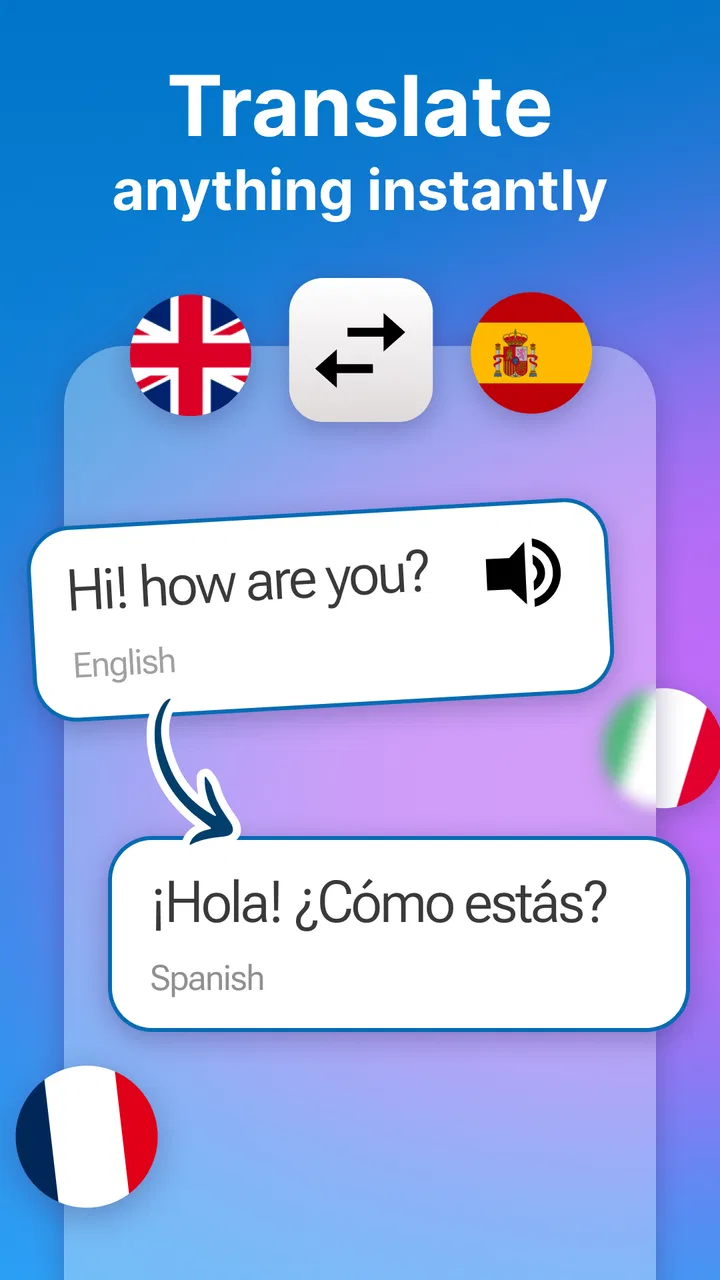
When I need a quick translation on my phone, I usually want something uncomplicated: enter a phrase, choose the languages, and get a result without turning the task into a project. Translate: Language Translator takes that straightforward approach. It is a free tools app from o16i Apps, made for translating between languages rather than acting as a full language course or a detailed writing assistant.
That focus makes it easy to understand where it belongs on my phone. I see it as a practical companion for short messages, signs, travel questions, product labels, and everyday conversations. It is not the kind of app I would use as the sole authority for a contract, medical instruction, or an important professional document. Its value is in reducing friction when I need a usable translation quickly, especially when I am already working from a mobile screen.
The app has built a strong audience, with a 4.7 average from around fourteen thousand ratings and more than a million installs. Those figures suggest that its simple purpose connects with many users. It is rated for Everyone, so it is also approachable for families, students, and casual users who do not want a complicated interface.
You May Also Like

 Blood Strike: 2.5 Anniversary
Blood Strike’s Loadouts Turn Every Drop Into a Tactical Gamble
A close look at Blood Strike’s custom loadouts: how fast access to signature weapons reshapes its battle royale rhythm, rewards preparation, and narrows the gap between fights.

 Pandora - Music & Podcasts
Pandora’s Music Is Easy to Start, but Harder to Recover
Pandora’s strength is its low-effort path from a seed to a station. Its weak spot is how much confidence it asks you to place in connection, setup, and quiet recovery.

 8 Ball Pool
 Is Built on Rivalries, Rematches, and Routine
A close look at the rivalries, rematches, shared routines, and unanswered safety questions that turn a quick pool match into a persistent mobile community.

 Samsung Music
’s Quiet Strength Is Playing What You Already Own
Its reach comes less from spectacle than from dependable access to a personal library. That simplicity is both the app’s strongest retention engine and its ceiling.

 AccuWeather: Weather Radar
AccuWeather Review: A Quick, Clear Forecast for Everyday Decisions
For everyday plans, the best forecast is the one you can understand quickly. AccuWeather makes rain timing, radar, and local conditions easy to act on, with a few trade-offs.

 Hill Climb Racing
Why Hill Climb Racing Still Turns Crashes Into One More Run
A tiny car, a bumpy hill and one more upgrade: Hill Climb Racing keeps resurfacing because its simple chaos makes every near-miss feel personal.
More From Our News Desk



How translation feels when the network is part of the experience
I find that a translator’s usefulness depends as much on the moment around it as on the words it returns. In this section, I’m focusing on how connection affects the move from entering a phrase to using the result, and why I treat a successful translation as a starting point rather than a finished conversation.
Fast help for ordinary mobile situations
In my experience, the most useful translation apps are the ones I can open without planning ahead. Imagine arriving at a small restaurant while travelling, seeing a menu in an unfamiliar language, and wanting to understand a few dishes before ordering. A tool like this can turn that moment into a short lookup rather than a long search through a browser. The same applies when a delivery message arrives in another language or a new acquaintance sends a sentence I cannot follow.
The important detail is that these situations often happen while I am moving, waiting, or switching between other apps. A translation tool has to fit into those gaps. I prefer entering a short phrase, checking the result, and returning to what I was doing. That is where this app’s narrow purpose helps: it does not ask me to commit to a course, create a study plan, or manage a large library of saved lessons.
Connectivity shapes that convenience. Translation requests are often made at the exact moment I am away from my familiar routine: in a station, at a hotel, in a shop, or while dealing with a message from abroad. If the app needs an active connection for a particular translation task, the experience will naturally depend on signal quality and access to mobile data or Wi-Fi. I therefore treat it as a connected utility and avoid assuming that every situation will be equally smooth in airplane mode or in a weak-signal area.
That is not a criticism unique to this app; it is a practical planning point. Before a trip, I would test the language pairs and the kind of phrases I expect to use while I still have reliable internet. I would also keep essential addresses, booking details, and emergency information in their original form rather than trusting any translation app as my only backup.
Choosing it over a browser search
The usual alternative is opening a browser and searching for an online translator. That can work, but it adds small interruptions: finding the right page, dismissing unrelated results, and dealing with a layout that may not be designed for quick phone use. A dedicated tool is more natural for repeated short translations because the action starts from an app icon instead of a general search box.
On the other hand, a browser can be better when I need surrounding context. Search results may show examples, definitions, pronunciation guides, or multiple interpretations. If a phrase is ambiguous, a single translation result may not explain enough. My rule is simple: I use this app for a direct first answer, then look for broader context when the wording has consequences.
This distinction matters for learners. Someone checking a sentence while studying may want grammar notes and examples, while someone trying to understand a quick text may only need the translated meaning. The app is better suited to the second situation. It saves time, but it should not be mistaken for a complete substitute for a dictionary, tutor, or language-learning platform.
What I would do on a phone in a busy place
Mobile translation is rarely performed at a desk. I might be holding a bag, standing in a queue, or trying to communicate while the other person is waiting. In those moments, short input is more reliable than composing a long paragraph. I would break a complicated request into small, clear sentences, check each result, and avoid slang unless I already know the app handles that style well.
That workflow is one of the more useful practical insights here: translation quality is affected not only by the app but also by how the request is written. “Where is the nearest station?” is easier to interpret than a long sentence containing jokes, local expressions, and several questions. If the first result looks strange, shortening the phrase can reveal whether the problem is the wording or the language choice.
I also recommend checking the selected source and target languages before typing. A wrong language pair can produce a result that looks plausible enough to miss at a glance. This is especially easy to do when I am rushing between similar language names or returning to the app after using it for another task.
When a translation does not look right
A translation app is most trustworthy when the input is clear and the subject is ordinary. Problems become more likely with names, abbreviations, technical terms, regional expressions, and sentences that depend heavily on tone. If a result seems too formal, too blunt, or simply confusing, I do not immediately assume the app has failed. I first rewrite the original in simpler language.
For example, instead of translating “Could you possibly point me in the direction of the place where we might be able to purchase a ticket?” I would use “Where can I buy a ticket?” The shorter version removes unnecessary structure and gives the translation engine less room to misread the intention. This is a useful recovery technique for any quick translator, and it makes the app more dependable in real conversations.
For a two-way exchange, I would translate both directions when the meaning is important. I can translate my sentence into the other language, then translate the result back into my own language to see whether the central idea survived. Back-translation is not proof of perfection, but it can expose missing details, reversed meanings, or an unexpectedly strong tone.
I would also ask the other person to confirm the meaning when possible. Translation tools reduce language barriers, but they do not remove cultural context. A polite phrase in one language may sound distant or overly direct in another. The app can help me start the conversation; human clarification is still the best way to finish it.
Connectivity, interruptions, and recovery
Network-dependent moments are usually most frustrating when the need is urgent. If a translation request stalls, I would first check whether the connection works in another app, then retry with a shorter phrase. Reopening the app or switching between Wi-Fi and mobile data may help when the problem is temporary, but I would not repeatedly submit the same long request while standing in a crowded place with unreliable service.
A better recovery plan is to prepare the most important phrases before leaving a stable connection. I would write down hotel names, addresses, transport details, and a few essential questions in a notes app as well. That is not because this translator is unsuitable; it is because a phone should have a fallback when connectivity becomes unpredictable. A translation tool is helpful support, not a replacement for basic preparation.
Users who travel frequently should pay attention to data conditions. A free app can still be used in situations where mobile data has a cost, and repeated translation requests may be less attractive on a limited plan than on Wi-Fi. I would use a trusted wireless network when practical, avoid translating every small word unnecessarily, and keep sensitive text out of casual experiments.
That last point is worth taking seriously. People often paste private messages, work notes, booking information, or personal details into translation tools because it is convenient. I would remove unnecessary names, account numbers, addresses, and identifying details before translating. If the text is confidential, I would choose a workflow approved for that kind of material instead of treating a general-purpose mobile translator as a private document service.
Who will get the most from it
This app makes the most sense for someone who wants a direct translation utility on Android and does not need an extensive learning environment. It can suit travellers checking everyday phrases, families helping one another understand messages, students looking up short passages, and users who communicate occasionally with people who speak another language.
It is also a reasonable choice for someone who dislikes maintaining several specialist apps. Rather than opening a dictionary for one task and a browser for another, a single translator can cover quick needs. The free price makes trying it low-risk, although the app includes in-app purchases ranging from $0.99 to $99.99 per item. I would review any purchase screen carefully and decide whether the available free experience already covers my routine.
The app is less suitable for users who need dependable professional localization, detailed grammar explanations, extensive pronunciation practice, or a guaranteed solution in places without connectivity. A specialist translation service is a better choice for legal, medical, technical, or publication-ready work. A language-learning app is better for building long-term skill. A browser or dictionary may be better when I need definitions and examples rather than one immediate translated sentence.
Version, access, and everyday practicality
The current version is 1.16.0 and it runs on Android 8.0 or later. That gives it a relatively broad place on modern Android phones, while anyone using an older device should check compatibility before planning around it. I like knowing that the app is not positioned only for the newest hardware, because translation tools are often most useful on the secondary phone someone takes travelling.
As a tools app developed by o16i Apps, it keeps a clear identity instead of trying to become a social network or a full education platform. That simplicity is a strength, but it also means I judge it by the quality and convenience of its core translation workflow. If I wanted flashcards, progress tracking, pronunciation coaching, or lessons, I would look elsewhere rather than expecting this app to grow into something it was not designed to be.
The Everyone age rating makes it easy to recommend for general household use, but parents should still guide younger children when translations involve strangers, public posts, or unfamiliar links. The app can help a child understand a phrase, yet it cannot judge whether a conversation is safe or whether the translated request is appropriate.
Small habits that improve the results
I found that a few habits make a bigger difference than simply pressing translate. First, I keep sentences concrete and avoid packing several ideas into one request. Second, I check names and numbers manually because a translation result can preserve the general meaning while still leaving a critical detail wrong. Third, I compare a second wording when the first result feels unnatural instead of sending it immediately.
For travel, I would build a tiny set of phrases around actions rather than isolated vocabulary: asking where something is, confirming a price, requesting help, and explaining a dietary restriction. This creates a more useful emergency kit than collecting random words. I would still keep the original language visible when showing a translated request to someone, since that makes it easier to correct a misunderstanding.
For messages, I would translate the whole sentence before replying, then write my response in plain language. I would avoid attempting clever humor, sarcasm, or idioms unless I am prepared to verify the tone elsewhere. That trade-off is central to the experience: the app can make communication possible quickly, but clarity usually matters more than sounding sophisticated.
My main advice is to use it as a first bridge, not as the final authority when the stakes are high. That approach gives the app room to be genuinely useful without asking it to solve problems that require a human translator or specialist knowledge.
My verdict on connected translation
After looking at how it fits into real phone use, I see Translate: Language Translator as a practical option for quick, everyday language help. Its free entry point, broad compatibility, Everyone rating, and focused purpose make it easy to try. The strong user response, including a 4.7 average and more than a million installs, also gives it a reassuring sense of maturity for a simple utility.
Its biggest limitation is not something I would hide from a new user: a translator is only as convenient as the moment in which it can deliver a result. Weak connectivity, unclear input, sensitive text, and high-stakes wording all require extra care. I would not depend on it as my only travel plan, and I would not submit an important document without checking the translation through a more appropriate source.
For short phrases, casual conversations, quick messages, and ordinary travel questions, I would recommend giving it a place on an Android phone running version 8.0 or newer. It earns that recommendation because it addresses a common problem without demanding much commitment. Just prepare a backup for network trouble, write clearly, and verify anything that affects money, safety, health, or legal responsibility.
In the end, this is a connected utility rather than a complete language solution. That is exactly why it can be useful: when I need a fast starting point, it gets me moving. When I need certainty, context, or offline independence, I reach for another tool or a human expert. Used with that distinction in mind, it is a sensible free translator for everyday mobile situations.
FAQs for Translate: Language Translator
01What is Translate: Language Translator and what can I use it for?
Translate: Language Translator is designed to help users convert words, phrases, and longer passages between different languages. It can be useful for travel, studying, casual conversations, reading foreign content, or checking the meaning of an unfamiliar expression. Before downloading, remember that translation quality may vary depending on the language pair, sentence complexity, context, and whether the app requires an internet connection for certain features.
02Does Translate: Language Translator support voice, camera, and text translation?
The app may offer several ways to translate, including typing text, speaking into the microphone, or using the camera to recognize written words, depending on the version and device. These tools are especially convenient for menus, signs, and short conversations. However, users should review the permissions requested during setup, because microphone and camera features need access to those components and may not work equally well in every language.
03Can I use Translate: Language Translator without an internet connection?
Offline availability depends on the specific languages and tools included in the installed version. Some translation applications allow language packs to be downloaded for use without mobile data, while advanced voice, image, or conversation functions may still require an online connection. If you plan to use the app while traveling, check its offline language options before leaving and download the required packs over Wi-Fi.
04Is Translate: Language Translator accurate enough for important communication?
Translate: Language Translator can be helpful for everyday phrases, general understanding, and simple communication, but it should not automatically be trusted for legal, medical, financial, or professional documents. Automated translation can miss tone, cultural meaning, idioms, and context. For important situations, compare the result with another reliable source or ask a qualified human translator, particularly when a misunderstanding could have serious consequences.
05Is Translate: Language Translator free to download, and does it include ads or in-app purchases?
The app may be available to download at no initial cost, but the exact business model can vary by platform, region, and version. Free access may include advertising, usage limits, premium language tools, or optional subscriptions and in-app purchases. Before confirming installation or payment, review the store listing carefully to see which features are included, whether a trial renews automatically, and how cancellation works.
Pros
- Supports text translation across many languages.
- Simple interface makes common translations quick to access.
- Useful for travelers
- students
- and everyday conversations.
- Voice input can make hands-free translation more convenient.
- Translation history helps users revisit recent results.
Cons
- Accuracy may vary with slang
- context
- or complex sentences.
- Some features may require an internet connection.
- Voice translations can struggle in noisy environments.
- Ads may interrupt use in the free version.
- Privacy policies should be checked before translating sensitive text.

Translate: Language Translator
Gallery